


Minecraft, a game that has captivated millions of players worldwide, offers various ways to explore its vast blocky universe. One of the most convenient and enjoyable features for multiplayer gaming is Minecraft Realms. This service allows players to create private servers that can host friends and family in a safe and controlled environment. In this article, we will delve into what Minecraft Realms is, its features, how to set it up, and tips for making the most of your Realm.
What is Minecraft Realms?
Minecraft Realms is a subscription-based service provided by Mojang, the game’s developer. It allows players to create and manage their private servers, known as Realms, where they can play with friends and other players. Unlike traditional multiplayer servers, Realms are straightforward to set up, making them an attractive option for players who want a hassle-free multiplayer experience. With Realms, you can enjoy cooperative gameplay, share your world, and explore new adventures together without worrying about server management or technical issues.
Key Features of Minecraft Realms
- Private and Secure: One of the standout features of Minecraft Realms is its focus on privacy. Realms are private servers accessible only to invited players. You have complete control over who can join your Realm, ensuring a safe and friendly environment for you and your friends.
- Easy Setup: Creating a Realm is simple. Players can set up a new Realm in just a few clicks, choosing from existing worlds or starting fresh. This ease of use is perfect for players who may not have the technical skills or time to manage a traditional server.
- Cross-Platform Play: Minecraft Realms supports cross-platform gameplay, allowing players on different devices—such as PC, console, and mobile—to join the same Realm. This feature promotes inclusivity and enables friends to play together, regardless of their platform.
- Regular Updates: Mojang regularly updates Realms, introducing new content, mini-games, and features. Subscribers have access to the latest gameplay experiences, ensuring that your Minecraft adventures are always fresh and exciting.
- Mini-Games and Adventure Maps: Realms allows players to access a wide range of mini-games and adventure maps created by the Minecraft community. You can explore new challenges, engage in competitions, or embark on epic quests with your friends.
How to Set Up a Minecraft Realm
Setting up a Minecraft Realm is a straightforward process. Follow these steps to get started:
Step 1: Subscribe to Minecraft Realms
To create a Realm, you first need to subscribe to the service. Here’s how to do it:
- Launch Minecraft: Open the game on your preferred platform (PC, console, or mobile).
- Navigate to the Realms Menu: Click on the “Minecraft Realms” button from the main menu.
- Choose a Subscription Plan: Select a subscription plan that fits your needs. There are options for individual players and larger groups, so choose the one that suits you best.
- Complete the Payment Process: Enter your payment information to finalize your subscription.
Step 2: Create Your Realm
Once you have subscribed, you can create your Realm:
- Click on “Create a Realm”: This option will guide you through the setup process.
- Select Your World Type: You can either choose to create a new world or upload an existing one. If you’re starting from scratch, select the world type (Survival, Creative, etc.) and customize your settings.
- Name Your Realm: Choose a unique name for your Realm to help your friends identify it easily.
Step 3: Invite Friends
Now that your Realm is set up, it’s time to invite your friends:
- Access the Realm Settings: Click on your Realm and go to the settings menu.
- Select “Invite Players”: You can invite friends from your Minecraft friends list or send them an invite link.
- Manage Permissions: Decide whether you want players to have full access to your Realm or just limited permissions.
Step 4: Start Playing!
With your Realm created and friends invited, you’re ready to start your Minecraft adventure together. You can explore, build, and survive in your private server, free from distractions. Read about how to choose the perfect Minecraft server for beginners in our article.
Tips for Using Minecraft Realms
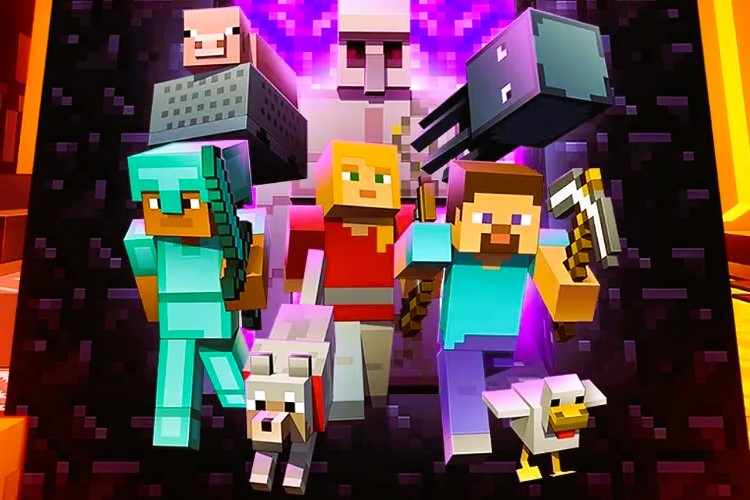
- Engage in Community Content: Take advantage of the mini-games and adventure maps available in Realms. These can enhance your gaming experience and provide new challenges for you and your friends.
- Regularly Backup Your World: While Realms automatically back up your worlds, it’s a good idea to manually back up important projects. This ensures that you won’t lose progress if something goes wrong.
- Set Ground Rules: To maintain a positive environment in your Realm, establish some ground rules for gameplay. This helps create a fun and respectful atmosphere for everyone involved.
- Explore Updates: Keep an eye on the updates provided by Mojang for Realms. New content and features are regularly added, giving you fresh ways to engage with the game.
- Encourage Collaboration: Use your Realm as a platform for collaborative projects. Working together on building projects or quests can enhance the sense of community among players.
Conclusion
Minecraft Realms is an excellent option for players looking to enjoy multiplayer gaming in a controlled and secure environment. With its easy setup, cross-platform capabilities, and focus on privacy, Realms is perfect for friends and families who want to explore the wonders of Minecraft together. By following the steps outlined in this article, you can create your Realm, invite friends, and embark on countless adventures. For more detailed information about Minecraft and its features, visit the Minecraft Wiki.
So gather your friends, dive into your Realm, and let the adventures begin!